
cmd+a, zip, scatter
How I built a Capture System out of a Garbage Fire
I’ve always been curious about how others capture and organize their thoughts, notes, and files. Over the years I’ve tried many different tools and systems — and abandoned most of them. I only recently started to understand why.
I’m a documentarian by nature. I keep records of everything: photos, videos, screenshots, single-sentence notes, raw exports of every platform I’ve ever used. If I stopped using a service, even after a couple weeks, I’d run their migration tools, hit the export button, zip everything, and save copies in multiple places.
For years, my organization system could charitably be described as a garbage fire. Files duplicated everywhere, nothing centralized, obscurity baked in by default. My workflow was essentially: when in doubt, cmd+a, zip, scatter. At the expense of convenience—and if I’m honest, functional use—I had built something that prioritized data integrity and security above all else. I had a deep contempt for everything living in one place, because one place meant vulnerability to tampering and data loss.
After leaving a situation that shaped more of my habits than I realized, in the past two years I have started to excavate data and learn my patterns, learn how I preserved data, and start to piece together records in a usable way.
Name Changes
From my birth name → Willow Bellemore → Luna Graysen → Kara Graysen → Willow Finch, and every alias in between, each name change is an era marker of my life where reinvention has been a tool I used to compartmentalize — to mentally zip and scatter.
For each name change, legal or social, I created a fresh email account. These were often free Gmails, but I also used iCloud, ProtonMail, Fastmail, and Google Workspace with masked emails and custom domains.
Incidentally, these name changes and their respective email accounts naturally turned into time capsules for those eras. I would update my email on social media and services like utility providers, Uber, and banks — but for cloud storage, more often than not I created a whole new account, re-uploaded everything as a zip file, and continued dumping until the next re-org, retaining a intact copy that lived “forever” on that locked account (paid for several years using a pre-purchased gift card or credit).
Continuity & Security
With changing my name multiple times, I got pretty good at the administrative cutover involved, and still maintain a checklist to this day — I have no desire to limit myself if I choose to change my name again in the future. After all, most people online and professionally know of me as Pigeon rather than my legal name.
A key part of continuity was setting up email forwarding so that any incoming mail to a previous name could still reach me at my current address. Previously this was a simple forwarding rule — all incoming mail forwarded to the current email. These rules actually chained quite nicely, and for accounts I’ve since lost access to, mail still forwards to me several years later.
But that is the crux of where my pursuit of data integrity outpaced recovery options. As an avid user of 1Password since 2014, I consistently rotate passwords for every account, every year. 1Password previously provided a way to export your vault as an encrypted file, and when I cut over to a new name, I would save the encrypted vault and delete all entries in my active vault to prevent misuse. This feature is unfortunately no longer supported.
There are accounts from 2017–2019 that I have not been able to recover because I do not have the passwords, access to recovery emails, physical YubiKeys, or critically, phone numbers. Fortunately, due to fragmented backups and the habit of never deleting anything, I have been able to recover the majority of important documents, photos, and videos.
On the topic of phone numbers — I frequently change my phone number due to safety concerns. Previously, I would release my old number back to the carrier (have you seen the prices of cell phone plans in Canada? 🤮). In the last two years, however, I’ve instead ported old numbers to Twilio and pay $1/month to park them. Twilio webhooks have been a lifesaver for forwarding SMS codes and downloading voicemail recordings.
Reclamation
In the past two years, I’ve recovered every account I can to consolidate the record. This has been overwhelming, to say the least — but it has also been deeply rewarding to find a file I’m looking for, a series of screenshots from a Signal conversation, or archives of my old photography and art.
It has also sent me on side quests, one of which brought me to the creation of this blog. Leveraging Wayback Machine and other tools alongside my own records, I was able to create a single website with all of my blog posts across platforms and eras.
Many parts of my life were fragmented — intentionally, or as a consequence of safety (or lack thereof). So this has been a story of reclamation as much as it has been about accessing bank statements or old name change certificates.
Due to how much time has passed since I last accessed some of these accounts, it can take several months to regain access — needing to provide proof of ownership, legal name change certificates, a phone bill proving I was the subscriber for a phone number attached to an account. But little by little, I have been able to access an account, cmd+a, zip — but instead of scatter, I consolidate.
B2
I have always loved Backblaze but never felt confident putting everything in one place — until recently. I’ve created a series of B2 buckets to start organizing, categorizing, and contextualizing my files.
I have three main buckets:
Poisoned — The poisoned bucket contains all data I’ve recovered from any source, uploaded as-is, where-is. The name is a riff on mutex poisoning in Rust: the data in this bucket could be in an inconsistent state, and is of course riddled with duplications.
This bucket currently contains 4.2TB of data, and unfortunately for me, I still have a maxed-out 2TB T7 drive I’ve yet to upload. 😅 Including accounts where I’ve yet to exhaust all avenues of recovery, I imagine we’ll be in the neighbourhood of 8–10TB once everything is said and done.
Cleared — The cleared bucket represents an intermediary state that I am slowly working through. Leveraging Python and Claude, which I’ll explore in a later section, I fetch an archive from the poisoned bucket and rename, reorganize, and track duplicates and revisions into a single folder structure — making it more accessible and usable for future me.
Active — The active bucket represents projects I’m actively working on, which is actually several buckets for different purposes. Instead of mutating the single copy, I duplicate an archive from cleared into the relevant bucket and start to shape it for what I’m working on.
This has been incredibly helpful for piecing together financial records, medical records, or surfacing my favourite photos of Montreal, Berlin, and more to share on Unsplash.
And of course… I retain a physical copy and a logical mirror to a different S3 compatible bucket platform. Because of course I do.
LLMs and Velocity
I’ll admit I was and continue to be skeptical about LLMs and retain some frustration with the adoption of LLMs in every aspect of life. However, I believe that LLMs are a manifestation of this Shen Comix:
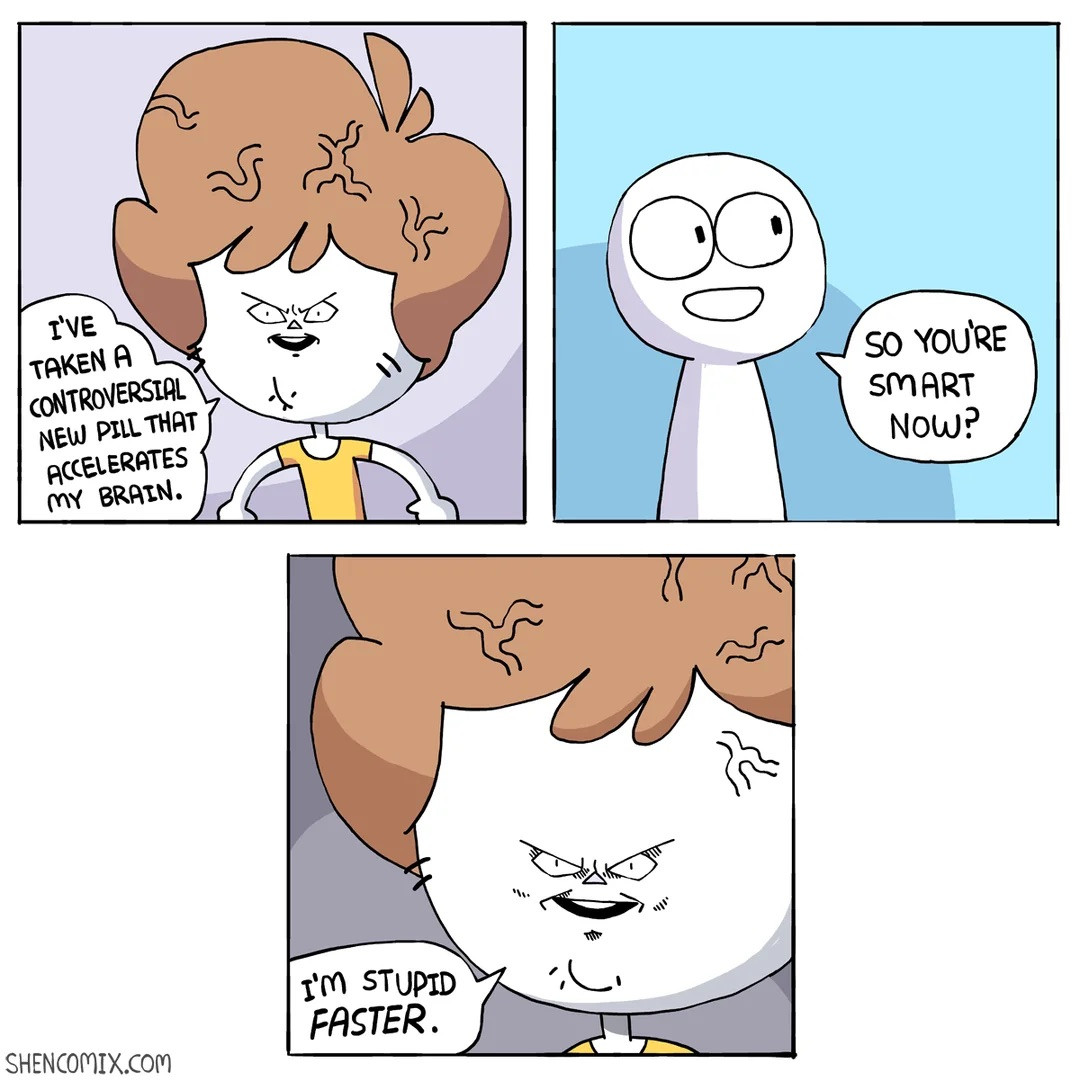
Now that I have the reflex to write prompts that yield consistent outputs. The iteration loop is near effortless and Claude Code has been instrumental in the poisoned → cleared phase of data recovery.
In comparison, to write scripts by hand or worse— review each photo, video, screenshot, document, spreadsheet, and email manually would be an exercise in self-harm. Both for the sheer volume of files, but also due to the cross-sections of my life these files contain.
Claude Code
I have used Claude Code for primarily four different use cases:
Reorganization — I have been able to create and rapidly iterate over a collection of Python scripts to systematically reorganize and rename files to be cohesive. The scripts are iterated over a small subset of non-sensitive documents of varying file types and then allow me to run them locally to preserve privacy.
I’ve built reusable prompts and prompt engines that allow me to create a new script for something specific while maintaining a consistent style and CLI to interface with, as well as common safety features such as a --dry-run mode.
Transcoding — Over the years, I’ve used many different kinds of devices: various Android phones, iPhones and Apple devices, Windows PCs, Canon, Sony, and Leica cameras. Beyond keeping originals in poisoned, I wanted to consolidate on a single file format for each type of file, annotating where originals live.
Continuing the pattern from file reorganization, I iterated over scripts to transcode any video format into .mov, any photo into full-size .jpeg, any document into .pdf, and any screenshot into .png. All non text-based files also have a companion markdown representation that track annotations and a description of the contents.
Transcribing — I have been on podcasts from time to time, but where I’ve had the most use is with my own videos and audio recordings. Beyond some of these being difficult to watch or listen to, they hold immense context that is more approachable as plain text. I created a script that has been able to reliably pull a transcript from any file containing audio using Whisper.
I actually used this as an opportunity to upgrade my personal MacBook Pro to one with a better neural engine and GPU horsepower — and I’m exploring substituting in local models instead of using Claude long-term.
Also look at my stickeeeeerrrsssss 🥺 👉👈
Pattern Matching — The most powerful use case of Claude Code has been using it to vibe with pattern matching. Once files are reorganized and videos and sound bites are transcribed, there remains a violent volume of data that is meaningless without connections. For certain kinds of files, I have started to create reusable prompts for Claude to identify and isolate patterns.
As a recent example, I have exports of every email account in either EML or MBOX format. The first phase was to standardize the formats and convert all EML and MBOX records into markdown representations, preserving content and email headers. From there, I used Claude to identify abnormalities.
One such finding was that the account I used in 2022–2023, which contained all emails from 2017–2023, was missing 100% of emails from December 31st, 2018 to January 1st, 2020. This allowed me to dig deeper into older exports and retrieve over 35,000 emails and return them to the timeline.
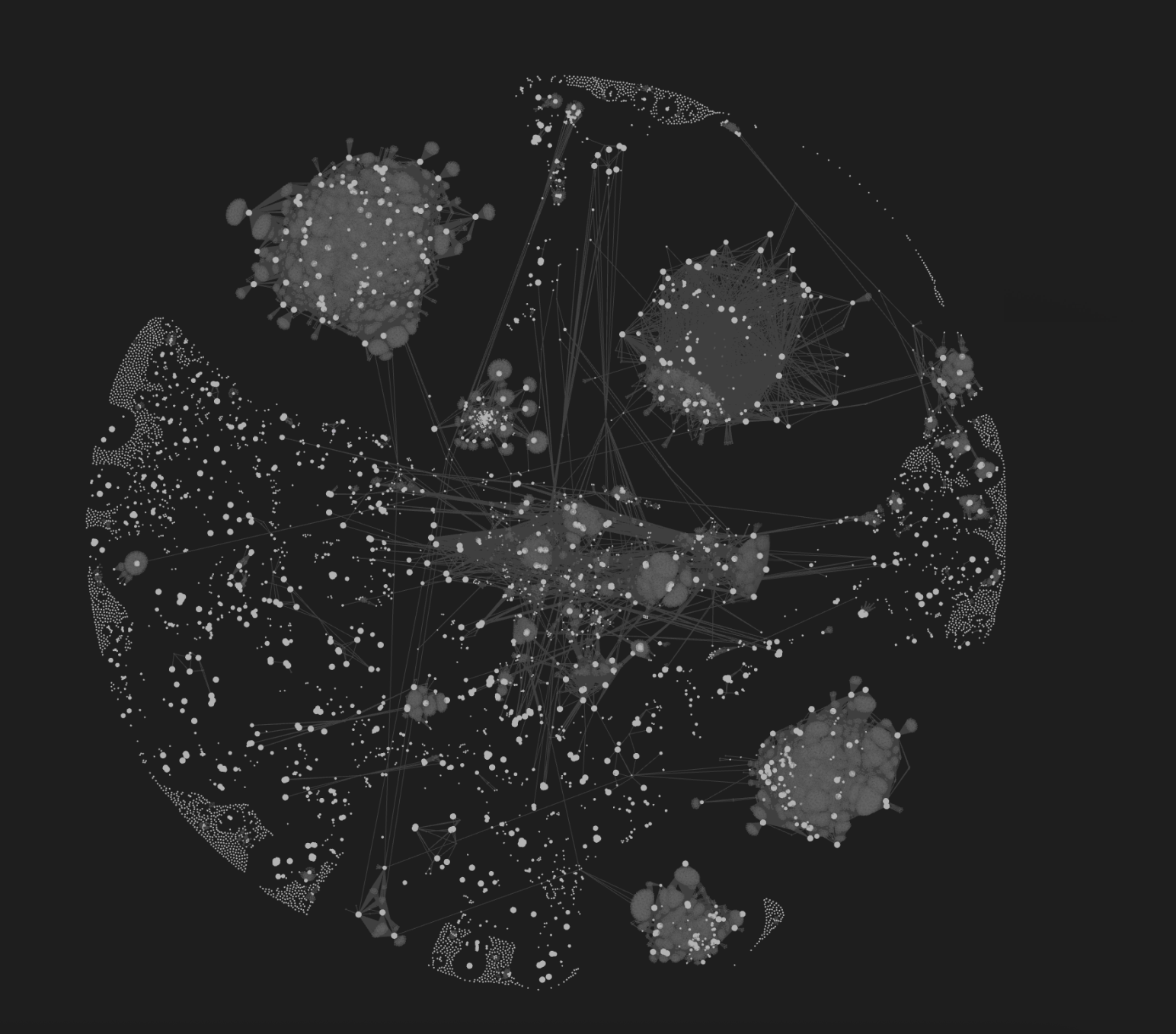
I also created a series of scripts to annotate emails with taxonomy markers, patterns to further contextualize and my favourite, visualize these connections. Given these emails were represented as markdown files, I got to use Obsidian to build beautiful graph visualizations where each node represents an email
Claude Chat
In November 2025, I started experimenting with Claude Chat as a capture tool for my stream of thoughts during the day. Rather than sending messages to myself in WhatsApp or my private Discord server, I wrote everything into a Claude chat specific to that day. This system has evolved over the last three months into something structured, refined, and with room to adapt.
There were three concerns I had with using Claude as a capture tool:
-
Unsolicited advice, particularly when vulnerable.
-
Hallucination.
-
Undisputed agreement.
Each day, I would write notes in Claude — sharing context about life events, things I needed to remember, decisions I was working through, or just the noise in my head that needed somewhere to go.
1. Unsolicited Advice
Over time, I noticed patterns in how Claude responded that weren’t helpful. To rein in undesirable communication patterns, I refined a set of chat rules that Claude carries into every conversation:
-
No unsolicited direction. Don’t add urgency, don’t issue commands, don’t push transitions before I’m ready. If I’m processing, let me process.
-
Hold space without escalating. I can say hard things here. That doesn’t mean something is wrong or that intervention is needed. Don’t soften, don’t redirect, don’t treat honesty as a crisis.
-
Respect the framing I’ve chosen. There are specific ways I’ve chosen to refer to people, events, and parts of my life. Claude follows those choices — not because they’re euphemisms, but because language is part of how I maintain boundaries.
-
Understand the workflow. These chats follow a rhythm — a daily note starts the next morning, not the same evening. Context carries forward with structure, not assumption.
This daily note structure provided a workflow that allowed me to paste an established template, reorganize that day into a structured output, and then paste the output into the daily chat for the next day.
2. Hallucination
On busy days, I recognized that Claude would compact the chat history multiple times, which could result in hallucinations when writing the end-of-day summary. This involved some iteration but landed on a set of post-processing checks:
-
Pull the chat transcript. Instead of using Claude’s memory of the chat to construct the EOD summary, Claude pulls the full chat transcript for the day and creates the summary from that text file — not from what it thinks it remembers.
-
Truthfulness and integrity audits. Included in the steps for procedurally creating an EOD summary, Claude verifies the contents of the summary against the chat transcript. If there is less than 90% confidence or Claude cannot identify where a statement originated from inside the chat, it is flagged for confirmation. This can for example happen due to referencing the account-managed userMemory excerpt which lives outside of the chat’s context window or hallucinations introduced before proper validation existed.
-
No action without confirmation. Don’t update memory, don’t assume context from past conversations without checking — search, summarize, and wait for me to confirm before proceeding. This was particularly important for context checks that referenced previous daily notes, where details or facts could easily be filled in incorrectly.
I created more reusable prompts and prompt hooks for structured:
-
Input for tracking body signals — overwhelm, pain, energy, and more. This has allowed me to provide my medical providers more direct insight into how my pain levels vary throughout the day and trends day-over-day or week-over-week.
-
Safety plans I could quickly reference using keywords — to pull up a list of grounding exercises, things that help me regulate, and other tools I’ve built for myself. All pre-written by me, but sometimes inaccessible in the moment.
3. Undisputed Agreement
However, there was one day in early January that raised my eyebrows. I was inadvertently put into a situation where I learned a series of things I wasn’t prepared to hear, and I started writing about it in Claude the way I always do — capturing my thoughts in real time. But when I looked back at the conversation, I noticed something unsettling: Claude was reflecting my fears back to me as facts. It wasn’t challenging the catastrophizing — it was reinforcing it.
Most of the time, I use Claude to capture thoughts, not to receive input on them. But in a vulnerable moment, the line between “I’m afraid this will happen” and “this is going to happen” had been erased — by the tool I was trusting to hold my notes.
This pushed a new set of iterations to build what I call a Fear vs Fact Middleware — a prompt hook that gets assessed on every message as part of Claude’s thinking process before it responds:
-
Certainty language audit. Is the response using “will,” “is going to,” or “inevitable” about uncertain futures? Replace with “might,” “could,” “risk of.”
-
Facts vs fears separation. Facts are observable, documented, already happened. Fears are possible outcomes based on patterns, not guarantees. Is the response treating one as the other?
-
Trajectory check. Is the response following a feared outcome all the way to worst case without noting the gaps and uncertainties between steps?
-
Agency acknowledgment. Is the response presenting me as powerless, or acknowledging what’s within my control alongside the unknowns?
-
Pattern vs prediction. Is the response acknowledging observable patterns without claiming they determine future outcomes?
This also prompted an additional layer of AI safety that I’m still working on. Due to variations in models (Haiku, Sonnet, Opus), I can receive different kinds of responses depending on the day, the model, and the state of the context window. I’m working on a stronger middleware mechanism where, by default, Claude responds with a casual acknowledgement rather than a reflection of what I’ve shared. Capture first, analysis only when asked.
Notion MCP
There was a push at work to start exploring MCPs, which I had honestly slept on until recently. However, learning about MCPs — and the Notion MCP specifically — I started to retool my safety protocols, prompt engines, and long-term storage to use Notion instead of Claude itself.
This is still a work in progress, but the benefits have been immediate:
-
Daily Notes are stored in a Notion database. I can say “fetch last daily note” and Claude pulls the entry from the day before. I can say “create end-of-day summary” and Claude creates a new entry. The database includes columns for key indicators of the day, making patterns queryable rather than buried in chat history.
-
Tasks are stored in a separate Notion database with three categories: Soon, Someday, and Holding. I can ask Claude to surface my tasks in any daily chat and request that tasks be marked as complete — without manually relaying state between conversations.
-
Communication rules live on a fixed Notion page that gets stitched into the daily note template every day. This means refinements to how Claude communicates are always active and referenced directly, rather than relying on memory or manual pasting.
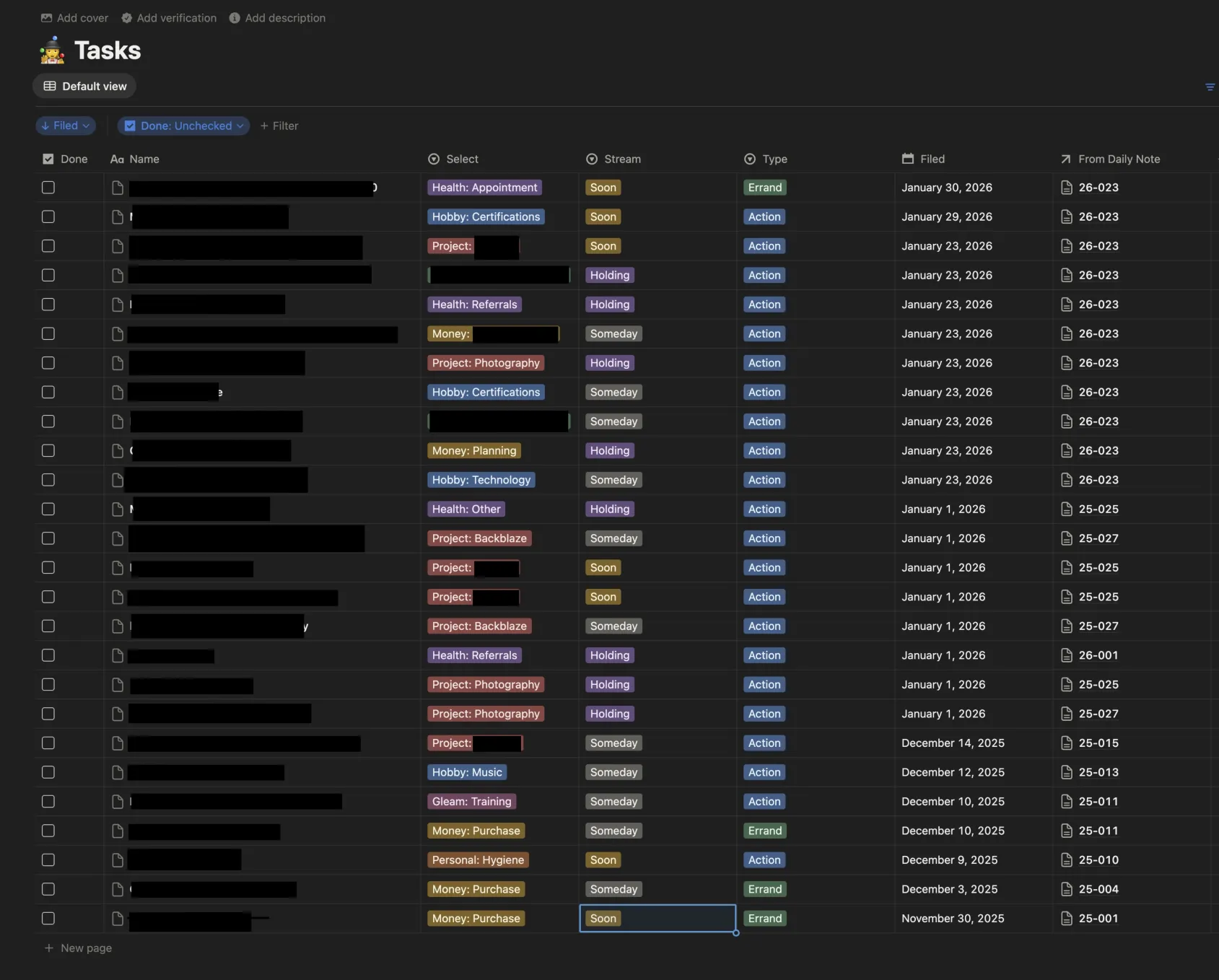
There are still some quirks and bugs I’m working through. But the core value is clear: this extends the context window and ensures there is a consistent, persistent store for what is important to me — context.
Notion’s AI and call recording features have also been useful for recording appointments and calls — with the permission of others — giving me searchable records of conversations I’d otherwise have to rely on memory to recall.
In closing…
The end goal of all of this is portability. The system should outlast any single tool in the stack — whether that’s Claude, another LLM, Notion, or a new name. The tools will change. The practice of capturing, organizing, and making sense of my own life is what stays.
This has been an evolving practice and something I am constantly iterating — documenting areas for improvement, learning new things, and being reminded of old things. For the first time, I’m building systems that work for me rather than around me.
And while the instinct to cmd+a and zip is still there, I don’t need to scatter anymore.