
BYOI “Bring Your Own Infrastructure” CI/CD Toolchains
📖 Note: This was originally written to be published on a new engineering blog at cLabs but due to Valora’s spin out, got deprioritized.
I was tasked with designing and implementing our new Continuous Integration system for Valora. I am going to write blog posts on what I’ve learned along the way. This post will go into “bring your own infrastructure” CI and why we ultimately didn’t go with this option.
Cloud CI builds are notorious for being slow. This is because they use malnourished virtual machines as a means to cram more instances on a single computer. This has business value as it cuts down infrastructure costs and provides users with a palatable invoice. On the other hand, it comes with a huge downside: bad performance. The most popular Mac for build machines is the 2018 six-core Mac Mini with 32GBs of ram which provides the hypervisor with 12 virtual cores. Most VMs have 2-4 vCPUs and 4-8GBs of ram. This means one Mac Mini is shared between three or four customers at any given time. As someone who worked in CI support for three years, the most common question (no matter if it was at CircleCI, Travis CI, or Bitrise) was “why is my build so slow?” and it’s because most customers are running builds on the Mac equivalent of this Raspberry Pi. We currently use CircleCI and pay for the Large MacOS resource class but our end-to-end tests still take 30-45 minutes to complete.
Providers like CircleCI and Bitrise have a solution if you’re ready to pay. Sweet, sweet dedicated hosts and the option of higher end hardware like the 2019 Mac Pro. It straight up erases the lacklustre performance. I’ve had experience with these machines and it can cut down a 24 minute build to 4-5 minutes. It’s amazing but it comes with a massive bill. This is because you’re not only paying for the full Mac Mini or Mac Pro but also the R&D for the architecture and probably a dedicated sales engineer for support.
This is supposedly where Bring Your Own Infrastructure CI and bare metal machines come into play. It comes at a higher cost than using those Raspberry Pi Macs but with similar performance to dedicated machines at half their cost. Supposedly. I say supposedly because there’s a catch. An engineer’s time isn’t free. Instead of paying CircleCI or Bitrise to manage infrastructure, you’re paying an in-house engineer to maintain it instead.
For example, these are the tools I was planning on using:
-
Terraform. To manage the constellation of AWS products (EC2 Mac Minis, network storage, and VPN service).
-
Ansible. To prepare the Mac Minis once they’ve been created (installing tools that can’t be used through network storage, setting up SSH keys, and starting the BuildKite agent).
-
BuildKite. To orchestrate builds.
This adds two additional rather complicated and time consuming responsibilities to their work week. It would be naive to think one person can do it better than the entire teams dedicated to maintaining these tools.
It’s not necessarily much cheaper than letting CircleCI or Bitrise manage the infrastructure either. There are many options in the space: AWS, Mac Stadium, Flow, and others not worth mentioning. I considered all three of these but using Mac Stadium or Flow would require manual configuration of tools using their respective GUIs instead of configuration files. While expensive, AWS has Terraform support allowing codified infrastructure. For a six-core 32GB 2018 Mac Mini, here’s the breakdown:
-
Mac Stadium is $179/month/machine.
-
Flow is $442/month/machine.
-
AWS is $744/month/machine.
Multiply that by 5 machines and that’s $895, $2210, and $3720 respectively. Yikes! Five Mac Stadium machines are just over the cost of one AWS machine. This started me thinking why?
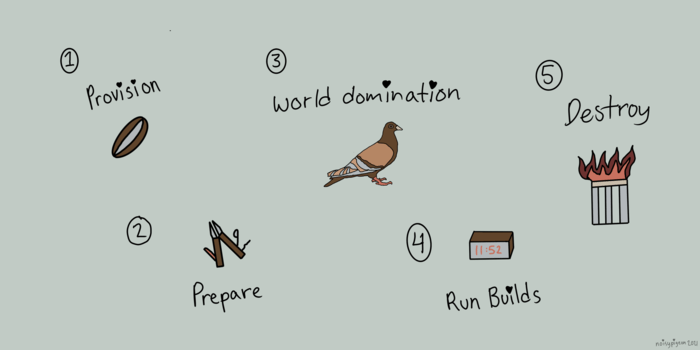
I then started considering elasticity. Using AWS and the aforementioned tools, we could dynamically grow and shrink our resources. For example, during the night or on weekends. This would drop that $744/month/machine to $480/month/machine for no weekends and between $275-$350/machine for no weekends and shrinking during the night. But…sadly…AWS requires you to pay for 24 hours at minimum due to Apple’s EULA. This completely obliterates this option because of the complexity involved with setting it up and then only saving $264/month. I had written an entirely different post on this topic that unfortunately had some misinformation due to me not knowing about Apple’s EULA constraints. But I made this really cute illustration that I still wanted to share:
Since cloud CI providers don’t yet support it, one unavoidable reason to use BYOI CI is if you wanted to use Apple Silicon M1 machines as build agents. I started this project with the intent to use M1 but spent weeks trying to make it work. Compatibility ended up not being ready. I was constantly debugging issues and for a lot of them had to employ sketchy workarounds. These issues were primarily around the fact that Valora still uses Node 10 as the React Native engine. This is something we want to upgrade in the future but it will be a huge task.
To plug an old boss of mine, during my research I came across three great blog posts by Peter Steinberger from his personal blog and PSPDFKit’s blog. I highly recommend reading his blog posts and following them both on Twitter at @steipete and @pspdfkit.
After a lot of consideration and false starts, we ultimately didn’t go with this option because of the price and complexity of maintaining infrastructure. My time would be better spent on other projects improving the developer experience for our engineers than maintaining the complexities of AWS and constantly putting out fires. After all, that’s a huge chunk of what we pay a cloud CI provider for.
Improving the CI has been an incredible learning experience and fun opportunity. I love learning about new tools and am excited to cover this more in future blog posts.